Keep Track of Your MVPs: Introducing Deck Diary
Have you ever played a dozen test matches in one night, only to completely forget which cards actually pulled their weight when you sit down to edit your deck the next day? Shoutout to fervillarreal from Goblin Depot for suggesting the perfect fix for this: Deck Diary.
Deck Diary is a new feature that lets you log your matches and take quick notes on how your deck performed. When you open the diary tool, you can quickly input your match results, note down the opponent's commander, key cards in the match, and most importantly, tag specific cards that overperformed or completely underperformed during the game.
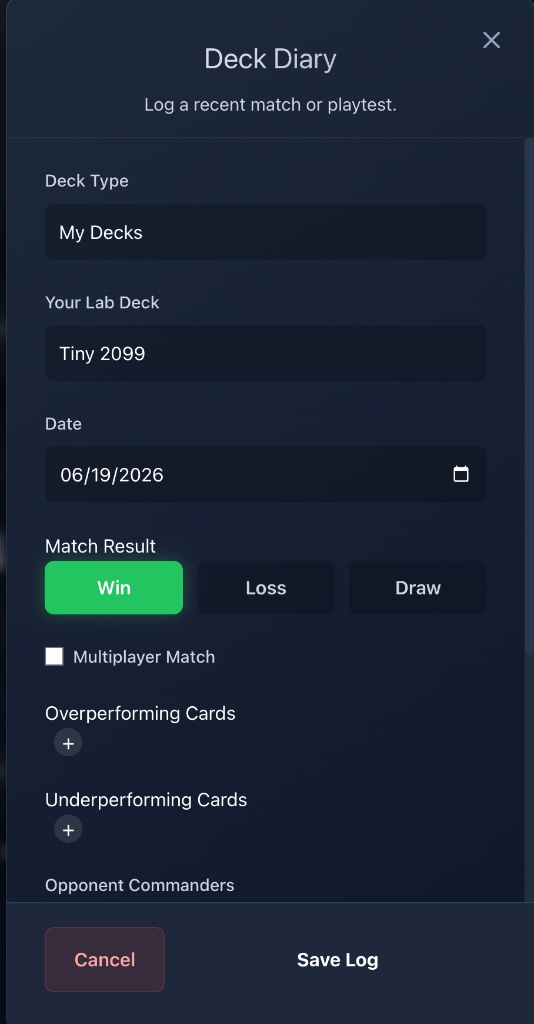 You can even leave specific notes for yourself to review later, and don't worry, these Deck Diary entries are 100% personal and private. Nobody else can see your notes or match logs.
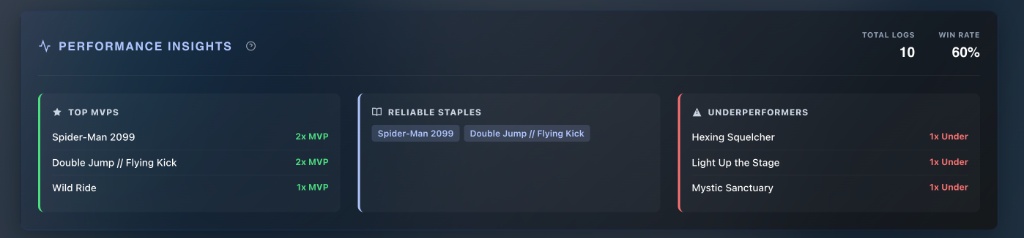
The real magic happens when you head back into the Deck Editor. TriomeLab aggregates your diary entries and displays a Performance Insights panel right at the top. It calculates your win rate from your logs and gives you a quick summary of your Top MVPs and Underperformers.
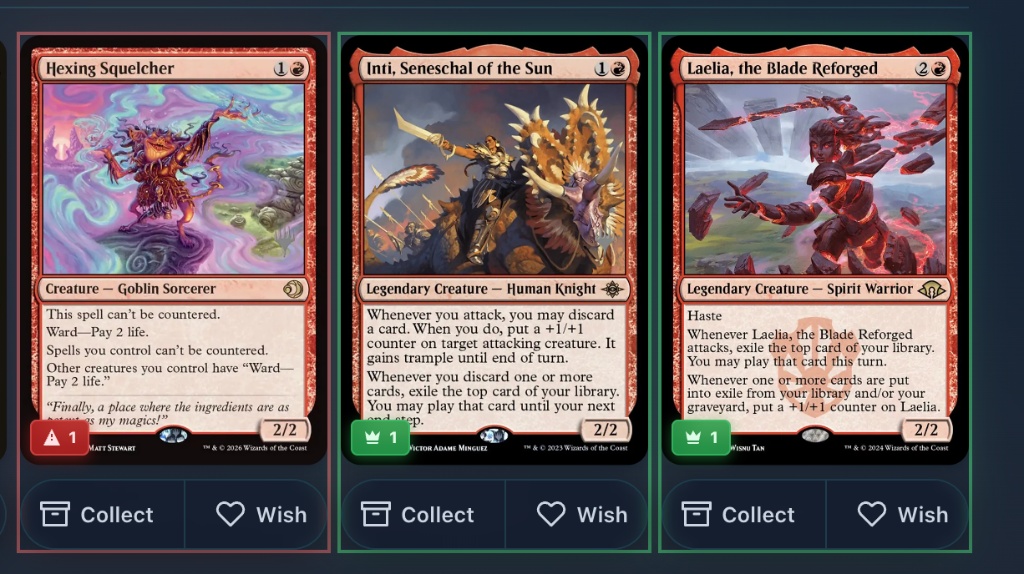
 To make things even easier while you're actively editing your deck, those performance tags show up right on the cards in your decklist. A quick glance will show you exactly how many times you've marked a card as an MVP (like the green crown on Laelia) or an underperformer (like the red warning on Hexing Squelcher), helping you decide what to keep and what to cut.
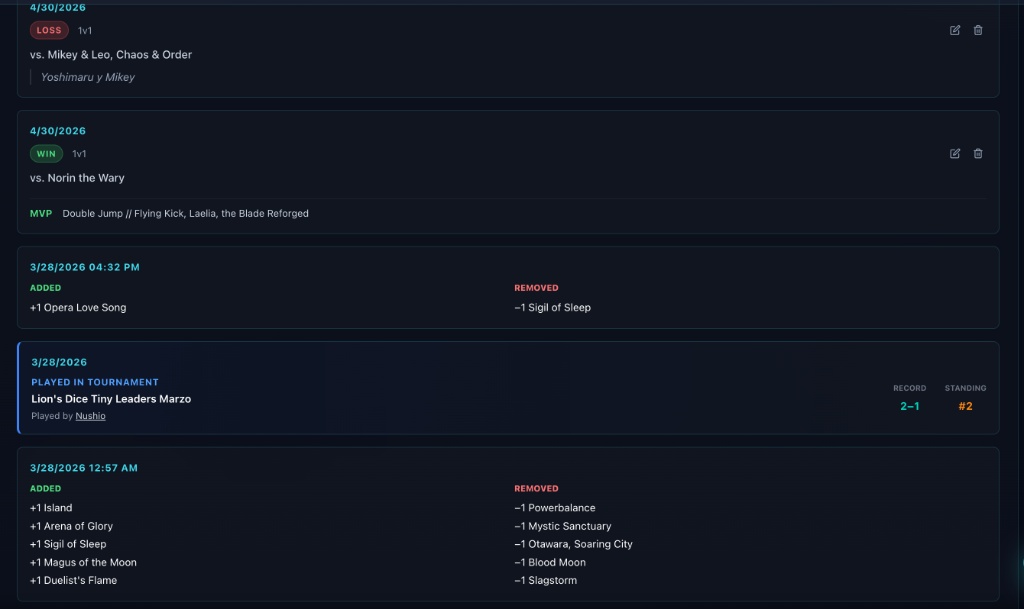
Finally, if you scroll all the way down to the bottom of the Deck Editor, you get the Deck History section. This section is a unified timeline. You can see your card swaps, your tournament entries, and your private Deck Diary match logs all in chronological order.
 Hopefully, this feature takes a bit of the mental load off your brewing sessions and makes those tough cutting decisions just a little bit easier!