Introducing Printable Decklists!
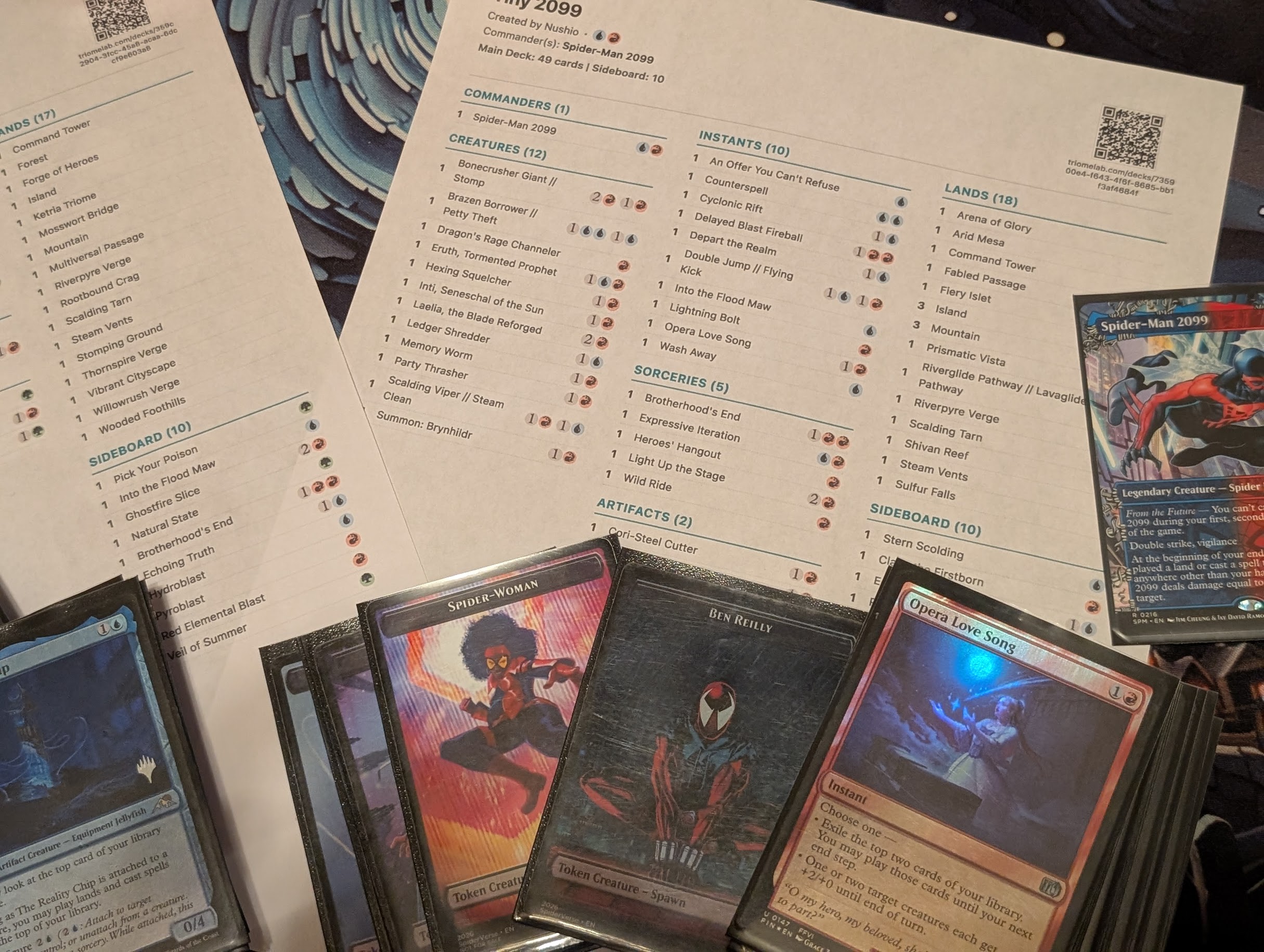
Earlier this week, the gaming world was in an uproar when a few major tech giants signaled that they were moving away from physical media. Naturally, Brands everywhere jumped on the bandwagon of either going fully digital, or going fully physical.
We wanted to join in on the fun, jab about DRM, digital sales and whatnot, but this led to TriomeLab actually having a nice new feature: Printable Decklists!
Why Print Your Decklists?
While I built this feature out of trying to jump into the bandwagon on hating the all-digital trend, it turns out it’s actually incredibly useful for the Tiny Leaders: Reborn community:
Tournament Deck Checks: This is the obvious answer. If you're heading to an event, you can now hit print and generate a clean, formatted deck check sheet. Plus, it has an optional QR Code so you can quickly share your decklist with the TO or a friend!
Physical Archives: Originally, I wanted the Decklist to fit in a card, so you could print your deck and keep in a card binder. I might still do that, but for now, you can archive a copy of your deck to keep in a "regular" binder page.
Proxying & Note-keeping: For those of us who have many decks but few copies of some staples, this printable copy can serve as a quick reference you can keep in your deck box. If like me, your decks often have missing cards because other decks "borrowed them", this sheet can put your memory issues at rest.
How it Works
It’s simple. Just navigate to any decklist on TriomeLab, look for the brand new "Print Decklist" button, under the three-dot-menu. You can customize the format, Grayscale or Color. Mana costs or not. You can even omit the QR code if you'd like.
So go ahead, fire up the printer, and keep your decklists physical. Play has some limits. Paper has none.